柔道 | 形
Run your whole kata competition from one laptop
Still tallying judge sheets onto a spreadsheet at the table? Judo Kata Tournament Manager runs the draw, judge tablets, live hall results, and printable PDF packs for the whole competition — from one laptop, with no internet needed.
Book a demo Have us run your event
Free and open source (AGPL). Demos are free, with no obligation.
Validated against the senior categories of the 2024 Silesian Open Judo Kata Competition.
What is Judo Kata Tournament Manager?
Judo Kata Tournament Manager is browser-based software that runs an entire judo kata competition from one laptop on the venue’s local network. It handles the draw, judge tablets, live hall results, the announcer board, printable PDF scoresheets, and CSV exports, with no internet connection required.
Four ways to run your event
Run it yourself
Get a guided demo, then run the software on your own laptop at a supervised test event. Free and open source (AGPL), with set-up help along the way.
Have us run it for you
We travel to your competition and operate the system on the day — in the UK or internationally — including a parallel run beside your current process. £100 per day plus travel.
Have a kit posted to you
We post you a pre-configured Raspberry Pi with the whole system installed. Plug it into your venue network and it’s ready to run — all it needs is a static IP address. No laptop setup, no travel.
Have all the hardware supplied
We bring the full kit to your venue — judge tablets, projector(s), the server, and network — set it up, and run the day. Priced on your requirements.
How it works
- Add competitors and judges by hand, from CSV, or by importing this year’s IJF Judobase entries.
- Run the draw, seat the panel, and assign performances to mats.
- Score on judge tablets and publish live results, PDF packs, and medal ceremonies.
Why it helps
For organisers
- Set the event name, logo, included kata, and scoring rules once in Config
- Add competitors and judges by hand, import them from CSV, or pull competitors from this year’s IJF kata events on Judobase
- Run the draw, seat the panel, and assign performances to mats
- Start the final when prelims are complete — re-draw advancers, re-seat judges, and keep prelim scores on record
- Print a full-day PDF pack — or one kata — when you need paper at the table
- Lock clerk pages with a PIN, including Config and the scoring audit; share public links for tablets and projectors
- Keep each event in its own SQLite file; no internet required on the day
For judges
- Open a seat URL that shows your name, the kata, and tori and uke on the mat
- Tap small, medium, and big mistakes, forgotten techniques, and ± corrections — each tap is saved at once
- Submit when the kata finishes to lock the seat; the tablet waits for the rest of the panel
- Sit as shadow to record a score that is stored and ignored in the total
- Use dark mode and zoom under hall lighting; the clerk can unsubmit if you sent too soon
For the hall
- Put the announcer board on a hall screen: current tori and uke, judging team, who is on deck
- Project live results that update as judges tap, with provisional points and an in-progress marker, and can rotate through kata
- Run the pre-event draw ceremony and final medal award ceremony on the same hall screen, controlled from a tablet with synced audio and animation
- Scale the hall table to fit every pair from rank 1 on a 1080p screen; show who advances during prelims
- Set the live screens to English, French, or German in Config
- Spectators can use public links without the organiser PIN
See it on the day
Tablets, hall screens, and paper packs are part of the same event. See how an event runs for Config, the draw, mats, and every screen below.
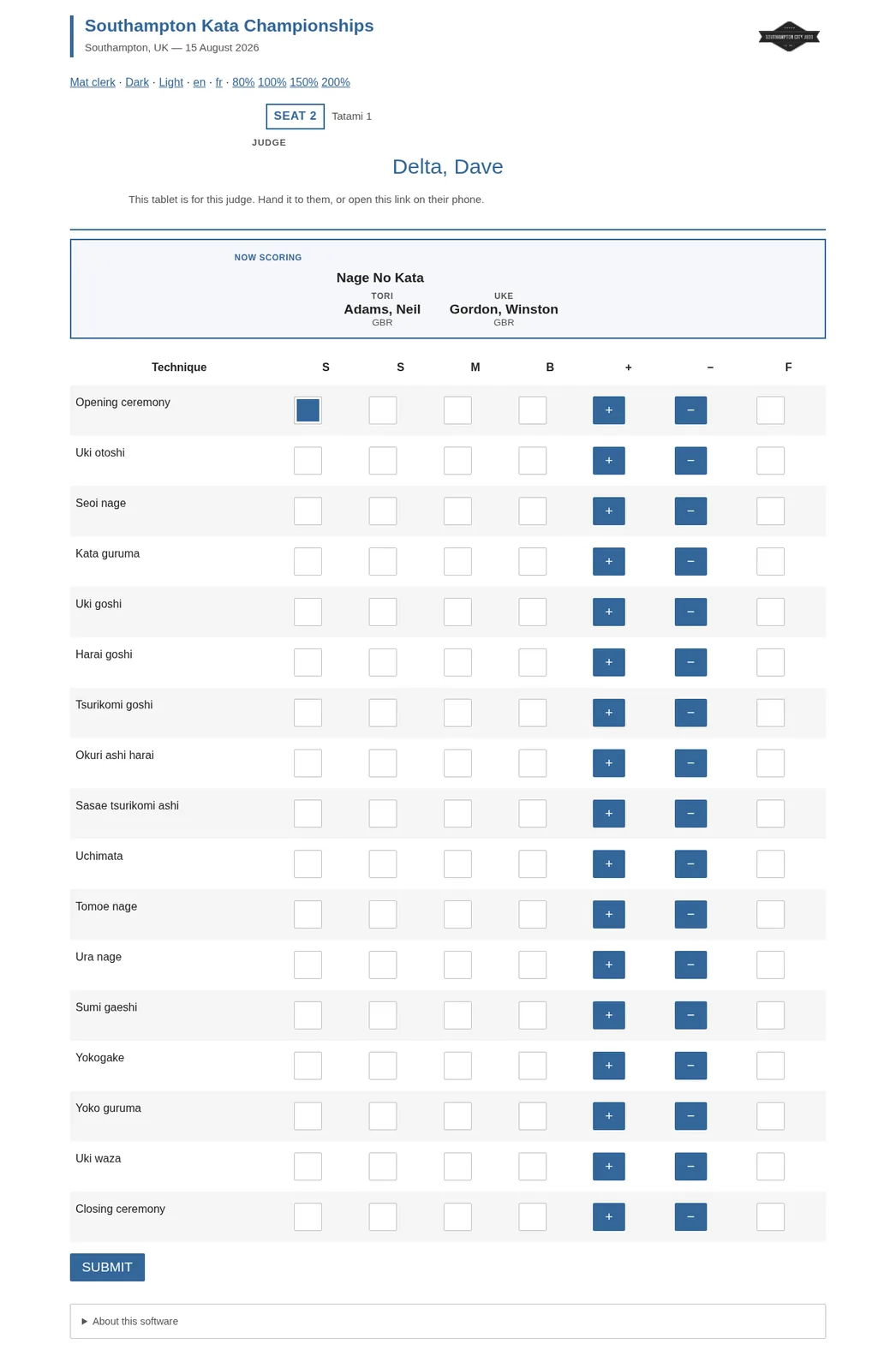
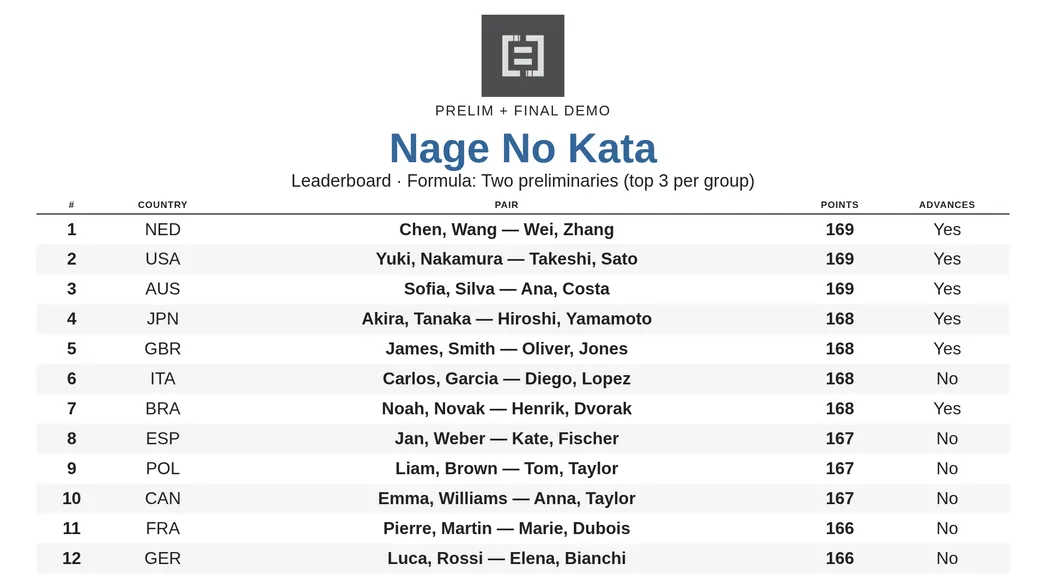
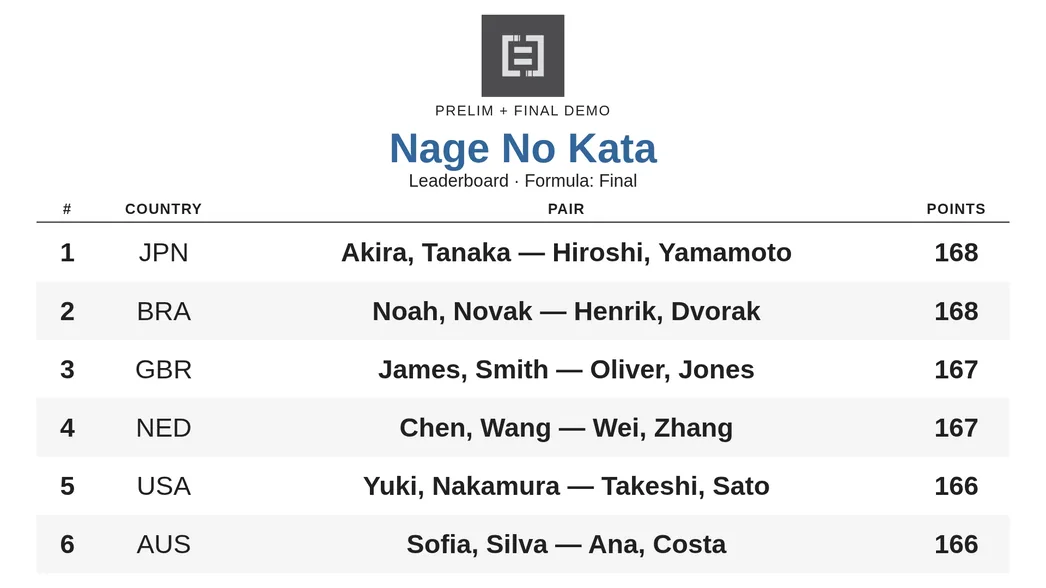
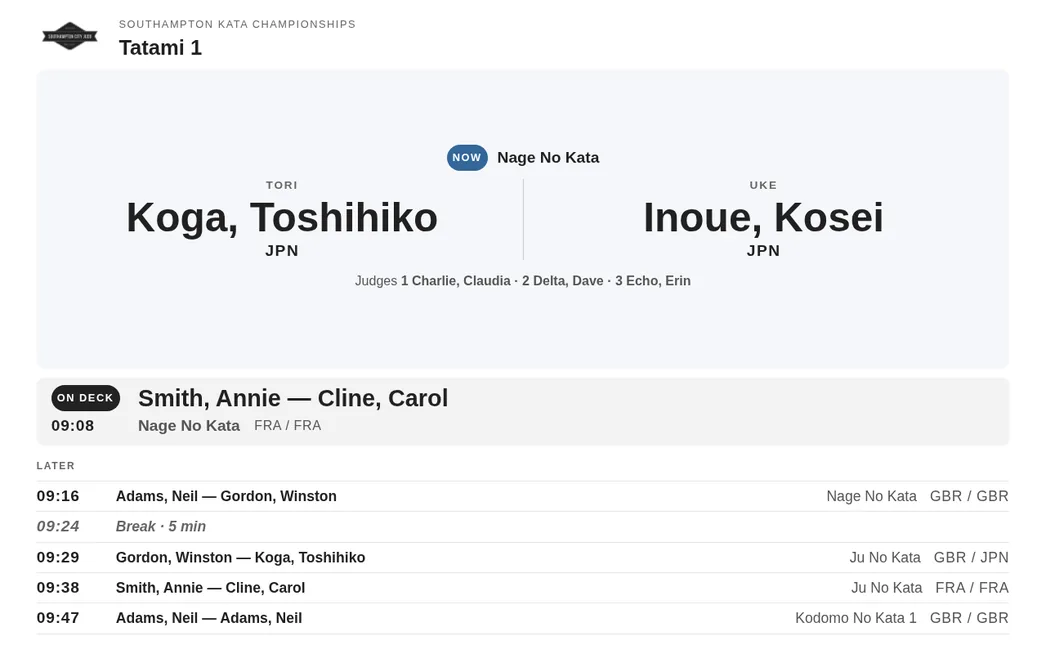
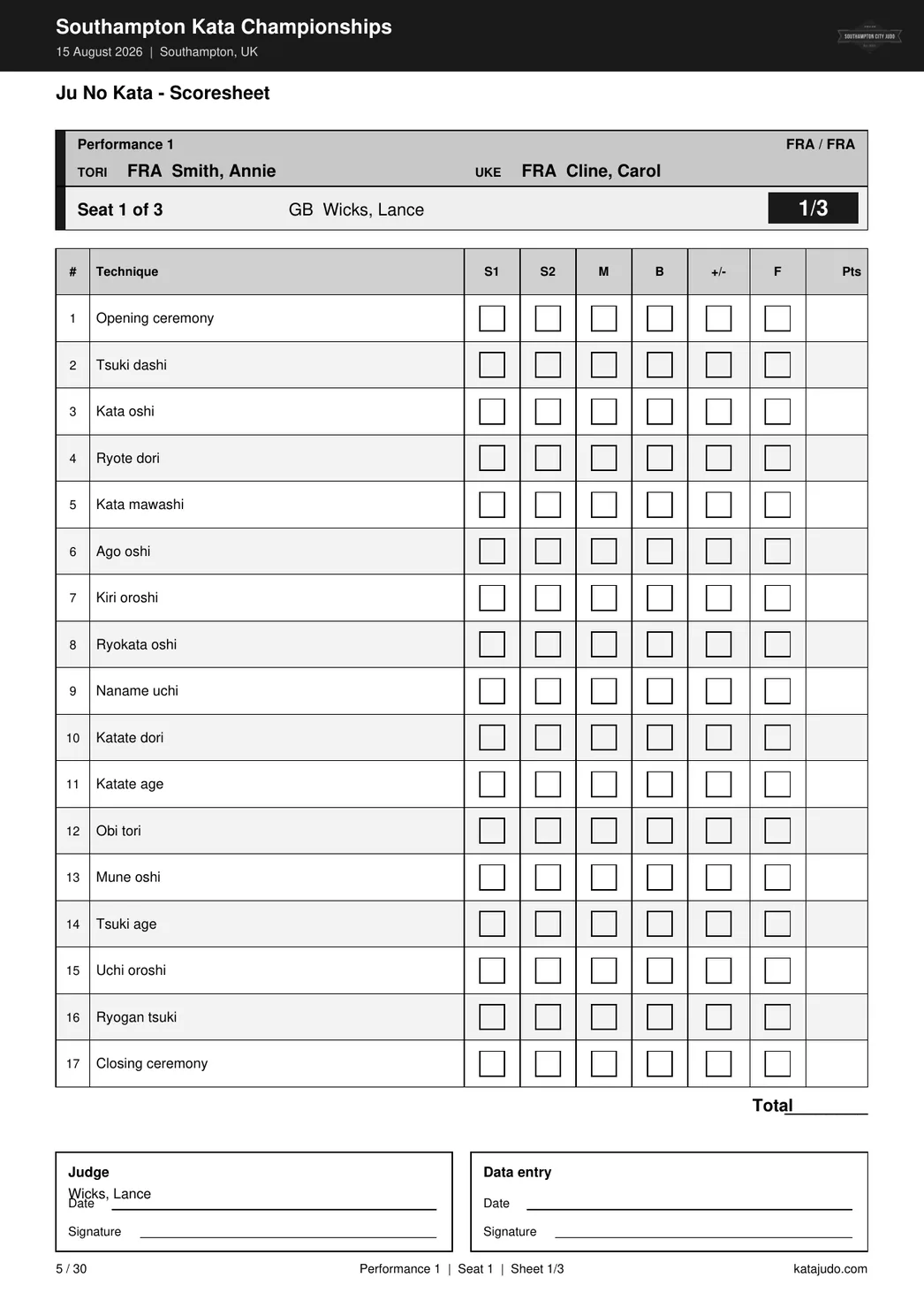
Scoring you can trust
Choose EJU, kata-judge/BJA-style, or IJF in Config. The same tablet marks produce the event total — forgotten techniques, drop rules, and tie-breaks included — without rebuilding a spreadsheet at the venue.
It follows Michel Kozlowski’s Excel Kata Scoresheets (EJU) — the reference many EJU organisers still use — and is dedicated to his memory.
Not sure you want to run it yourself?
Have us travel to your competition and operate the system on the day — in the UK or internationally. Run it in parallel with your existing scoring process so your spreadsheet stays the safety net until you’re confident. Typical fee £100 per day plus travel.
Questions
Does it cost anything?
The software is free and open source under the AGPL. Demos and supervised test events are open now; a public download isn’t available yet — get in touch and we’ll set you up. On-site support is optional and costs £100 per day plus travel.
What happens if the venue has no internet?
Nothing — it doesn’t need any. The system runs on a laptop on the local network. If a live connection drops, the affected pages reload every five seconds.
Will the scoring match our ruleset?
Choose EJU, kata-judge/BJA-style, or IJF in Config. The rulesets were validated against the senior categories of the 2024 Silesian Open Judo Kata Competition.
What hardware do I need?
One laptop acts as the server; judges, the announcer, and displays use any browser on the same network. Optional Docker packaging is available for consistent deployment.
What if a judge’s tablet fails?
The event keeps running. The mat clerk can enter the same scores on a browser scoresheet, and every tap is saved as it happens, so nothing is lost.
Where is our data kept?
Each event is a single SQLite file on your own machine. There is no cloud service and no account to create.
Which kata are supported?
Nage-no-Kata, Katame-no-Kata, Ju-no-Kata, Kime-no-Kata, Kodokan Goshin Jutsu, Koshiki-no-Kata, Itsutsu-no-Kata, and Kodomo-no-Kata 1–7. See the scoring page for details.
See it running at your event
The software is free and open source (AGPL). Demos, sandbox access, and parallel runs beside an existing scoring process are all welcome — send your event date, kata, and rough pair count and we’ll show you how it would run.
- Email your event date, kata, and rough pair count.
- We arrange a short call and, if it helps, a sandbox or supervised run.
- You run it beside your current process until the team is confident.
Email us to arrange a demo or test event · Have us run the event for you
A short call, no obligation. Demos and supervised test events are free.